Give your business a public home for customer feedback. Invite reviews, keep up with replies, and turn useful experiences into something you can share.
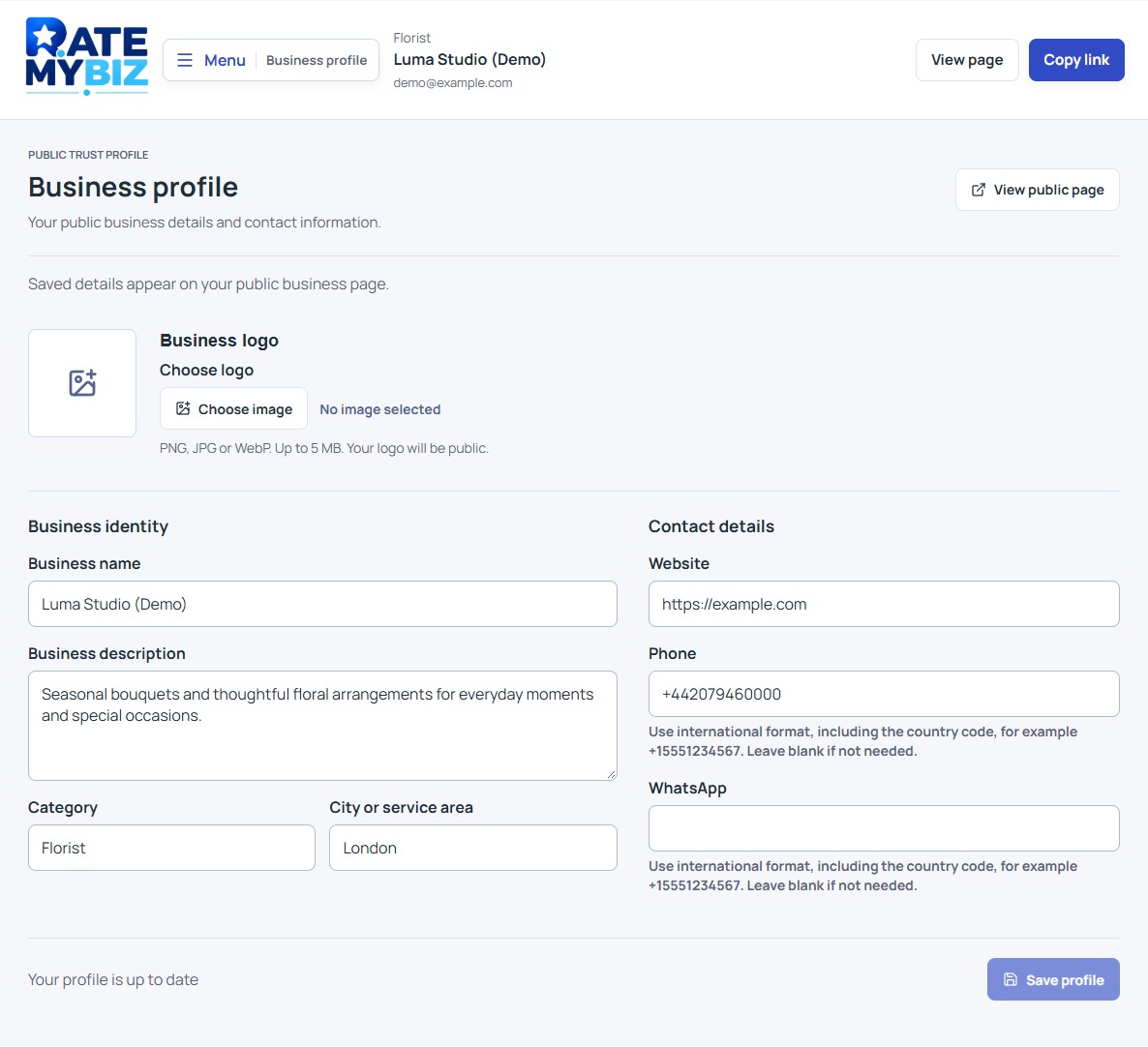
View full size Keep your public details up to date. Actual interface with fictional demo data.
02 / Collect reviews Included with Free
Make giving feedback an easy next step.
Choose the invitation that fits the moment: after a purchase, a completed service or an appointment.
Direct review links
Copy your review link into an email, WhatsApp message or follow-up you already send. Customers arrive at your Rate My Biz review form.
QR codes for print and in-person visits
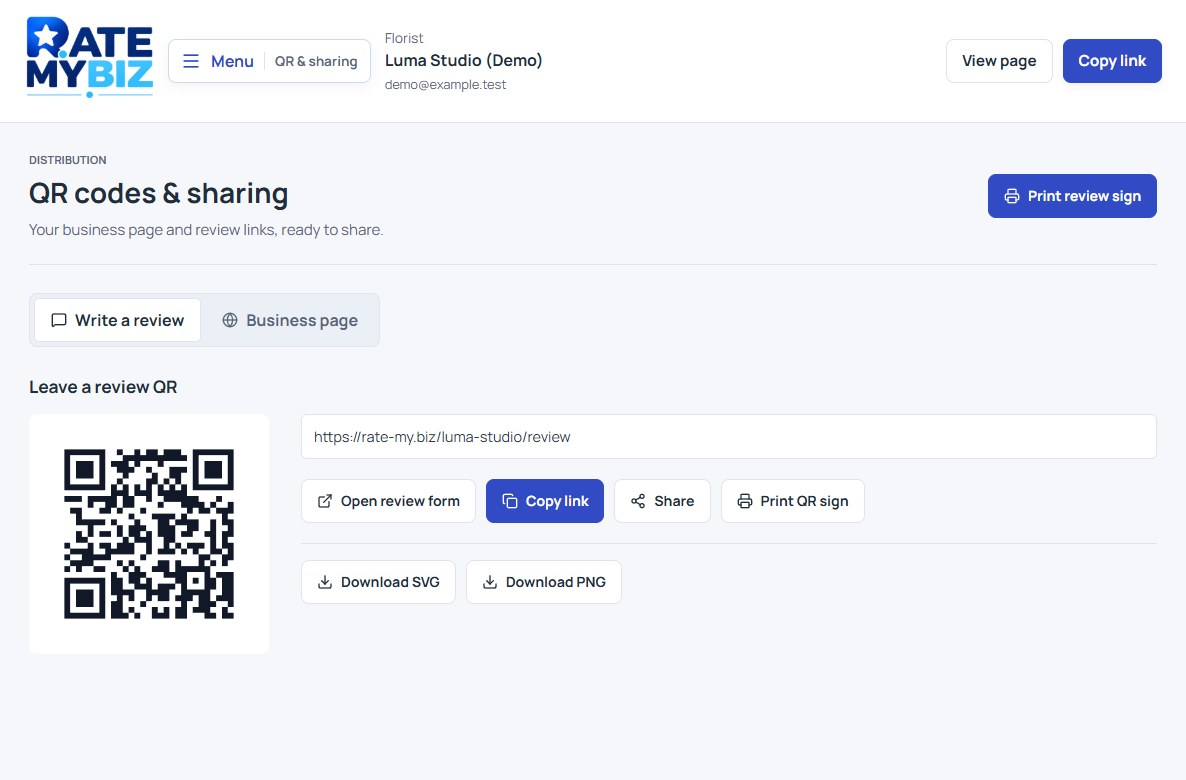
Choose a code for reading reviews or leaving a review. Download it or open a printable sign for a counter, receipt or package.
Personal customer invitations
Create a recipient-specific review link with the customer and completed event details. Track the request status in your workspace. You send the link through your own channel; creating it does not send a message.
View full size Share a link or prepare a printable QR code. Actual interface with fictional demo data.
03 / Reviews & replies Included with Free
Keep the conversation going.
Bring customer feedback into your daily routine with one workspace for reading, responding and following up.
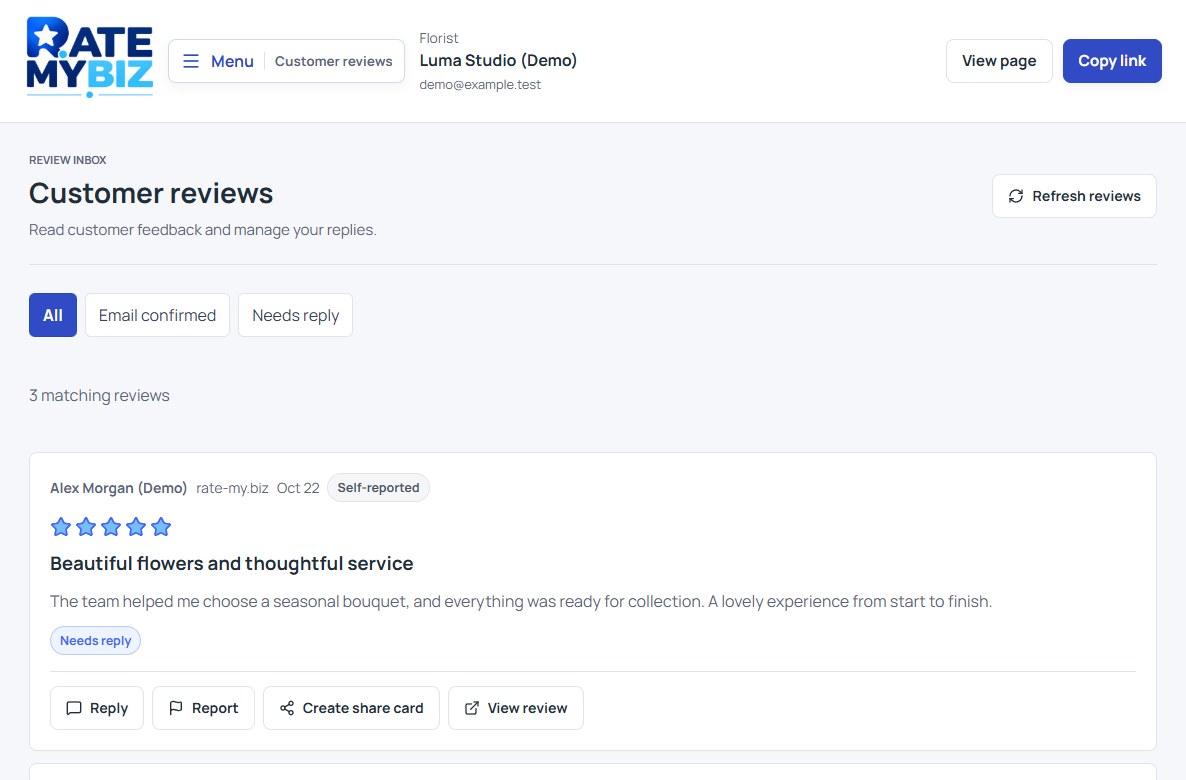
An inbox with a clear next action
Read ratings and comments, check confirmation labels, and use the Needs reply filter to find reviews awaiting a response.
Public business replies
Write or update a response alongside a Rate My Biz review. Thank customers, clarify an issue or explain how your team can help.
A fair way to raise a concern
Report a review with a reason and relevant context. Reports are assessed; a business cannot hide criticism simply by reporting it. Email confirmation adds context, without claiming proof of purchase.
View full size Read the experience and respond from your workspace. Actual interface with fictional demo data.
04 / Sharing & widgets
Let customer experiences travel further.
Share your public profile and individual review links on every plan. Eligible plans also include tools for presenting feedback on your website and social channels.
Downloadable review cards Eligible plan
Turn an individual public review into a shareable image with its attribution and rating. Add your own caption when you publish it.
Website widgets Eligible plan
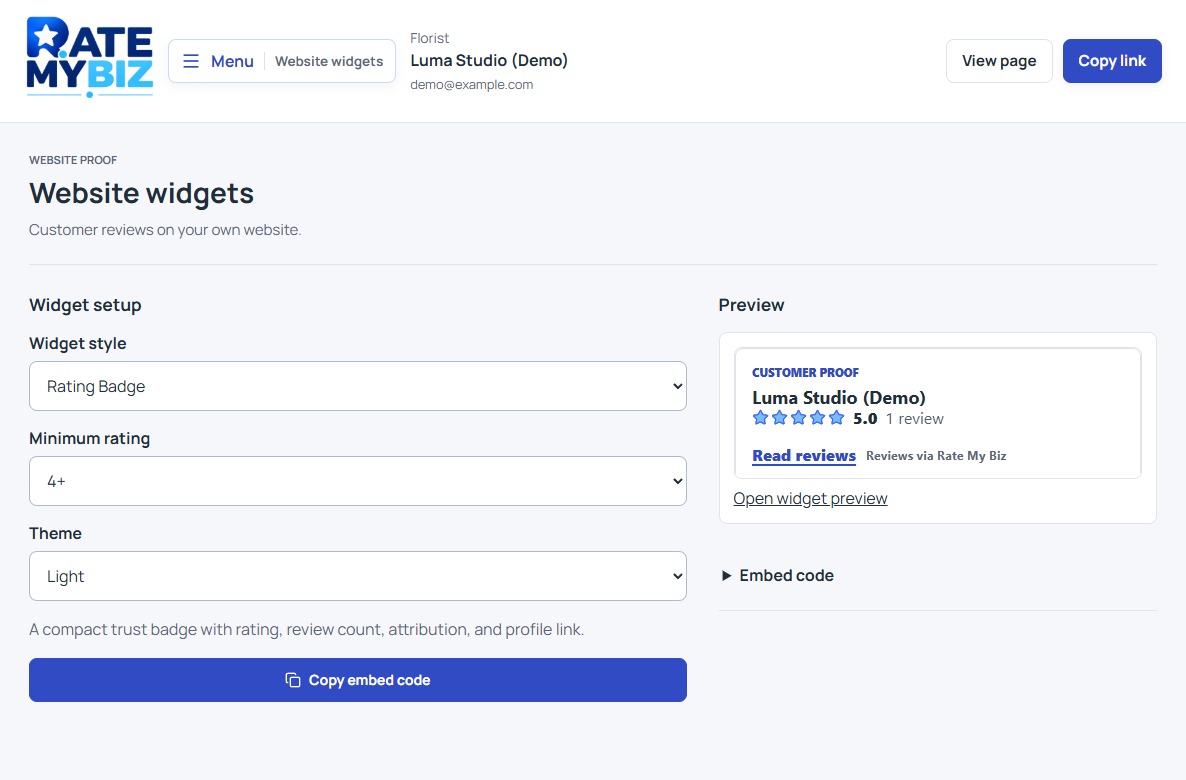
Choose a widget style, theme and minimum rating, preview the result, then copy the embed code into a website that supports it.
The full rating stays independent
Cards and filtered widgets show a selection. Your overall rating still includes all eligible published reviews, including critical feedback.
View full size Widget preview on an eligible plan. The example uses a 4+ rating filter. Actual interface with fictional demo data.
05 / Insights & account
Know what needs your attention.
Useful review information and everyday account controls, without losing sight of the customer behind each rating.
Your review overview
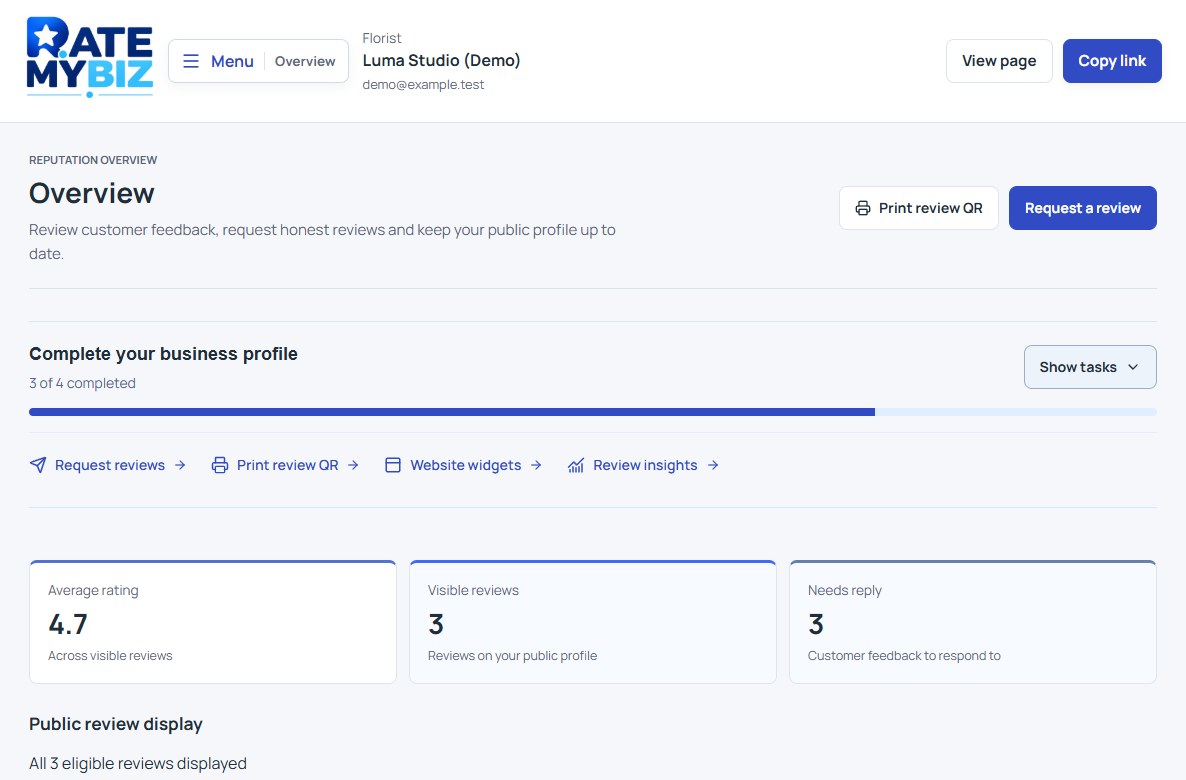
Check your average rating, public review count, stored reviews and reviews needing a reply. A setup checklist helps you complete your profile and find the next action.
Your business and account
Manage your public details, view your organization and account information, and check your current plan and review allowance in Plan & billing.
A rating with clear rules
Free displays your 20 newest eligible reviews. All eligible published reviews contribute to the overall score, including those outside that display limit. Payment does not buy a higher rating.
These are current review totals. Profile visits, QR scans and link clicks are not measured in the dashboard yet. Understand your rating.
06 / Plans & integrations
Start with the essentials. Add tools when you need them.
Your free page includes manual review requests, QR codes and replies. Compare the plan allowances and additional tools before choosing an upgrade.
Connect review requests to your workflow
Review-request API · Eligible plan · Technical setup required
Create a personal review link after an event in your CRM, checkout or service system. Your system sends the invitation using your own authorized email or messaging channel.
A developer integration is required. This is not a ready-made CRM connector or a built-in email campaign service.
Free includes your page, review link, QR codes, manual invitations and replies.
Eligible plans add full review display, review cards, widgets, branding options or API access. Check the plan comparison for details.
Review current prices, allowances and terms before upgrading.
Product reviews after purchase
Connect your supported store from the dashboard, choose when to ask for feedback and turn requests on. One optional email per eligible order, with unsubscribe and cancellation checks.
A few things worth knowing
Do these tools collect reviews on Google?
They collect reviews on your independent Rate My Biz page. Google, Facebook and Yelp imports or synchronization are not currently available. You can share a separate Google review link through your own channels. Read our Google review link guide.
Can I use Rate My Biz on my phone?
Yes. The dashboard and public review pages adapt to mobile browsers, so you can share your link, check feedback and manage replies from your phone. Customers can open your review page directly from a link or QR code.
Where can I learn each step?
Our practical guides explain setup, review invitations, QR codes, replies and sharing, with actual interface screenshots. For review labels and publication rules, visit How Reviews Work.
Ready when you are
Your business. Your review page. Your next conversation.
Confirm your email, set up your page and give customers a simple way to share their experience.
 View full size
  View full size
  View full size
  View full size